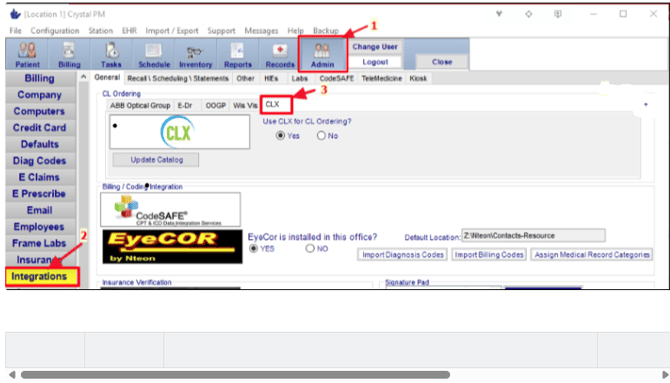
Follow the steps below (while logged into server as admin) using the picture as a guide:
Note: While the integration is downloading, you cannot navigate away from the page as it will stop the download.
- Inside Crystal, click on the Admin tab.
- On the left-hand side, click on Integrations.
- In Integrations, under the General Tab, click on CLX.
- Click on Update Catalog.